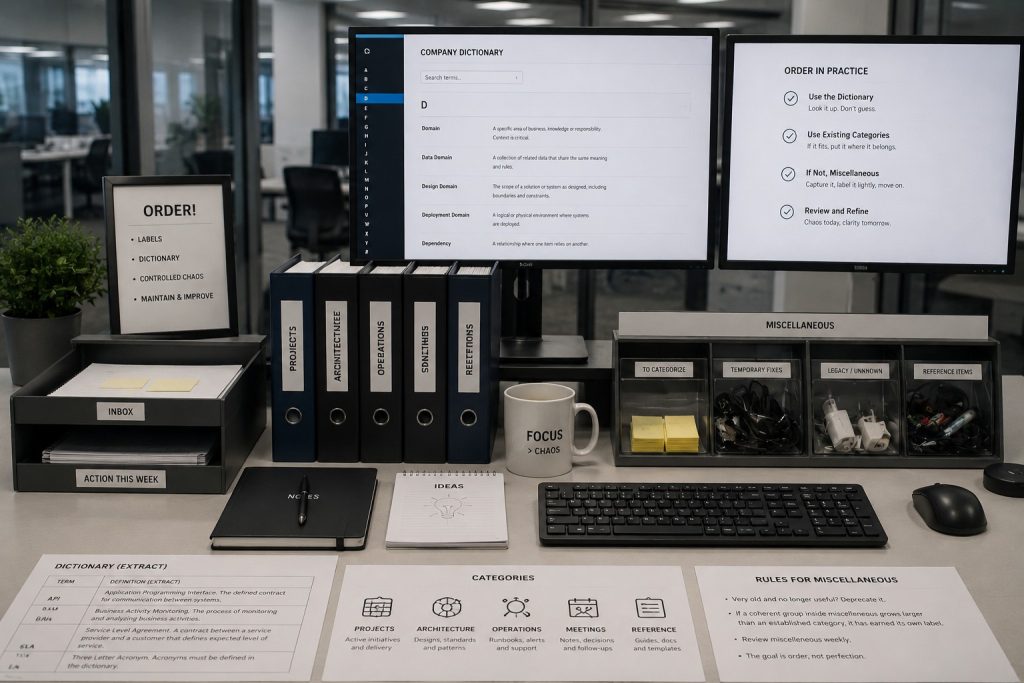
Survival games have given me a very practical appreciation for labels. At the beginning, everything fits in one box. Later, I spend half my time opening boxes because I know I put a particular tool somewhere.
A sign saying wood or tools saves a surprising amount of effort.
I think about enterprise systems in a similar way. A service name, a team name or an acronym should help someone find the thing they need. When the same label means several things, people can spend an entire meeting agreeing with each other while imagining different systems.
Put the meaning where people can find it
Take the word domain. It could mean a DNS domain, an identity domain or a business area. I would put those meanings in one searchable index with links to the teams that maintain the definitions. A common place to look is useful even when different teams legitimately use a word differently.
I would keep each entry short:
- Term and context.
- Definition and owner.
- Related systems.
For a business term such as available stock, I would add the calculation and an example. If warehouse and sales need different definitions, name those variants and explain their relationship. Forcing both into one vague sentence loses information.
This can start as Markdown in a shared repository or a maintained page in the company wiki. The useful part is the agreement to update it when a contract or system changes. A glossary that requires a separate annual clean-up project will spend much of its life out of date.
Give services a stable identity
Names change when teams reorganize. I would give an integration a stable identifier and keep its display name separate. That identifier can appear in deployment configuration, logs, dashboards and runbooks. Searching for it should lead to the same flow even after the team owning it has changed.
id: warehouse-stock-import
displayName: Warehouse stock import
owner: warehouse-integrations
source: warehouse
target: erp
contract: StockSnapshot.v1
runbook: docs/runbooks/warehouse-stock-import.md
status: active
This is an illustrative catalog entry. In a real repository I would validate required fields in the build and check that the runbook path exists. A link to the owning team’s maintained contact page is better than copying a person’s name into ten configuration files. The catalog can stay small until there is a reason to automate more of it.
Keep a place for the awkward things
I still want a miscellaneous category. There will be a one-off PowerShell fix, an unexplained mapping exception or a small experiment that does not yet deserve its own structure. Making a home for those things is more practical than stopping every task to invent a taxonomy.
Before running that script
Even a miscellaneous script needs a few facts. I would record who added it, why it exists, which environment it affects and whether it is safe to run more than once. A production SQL correction should also have a review and a record of the affected keys. Calling it miscellaneous should have no effect on the access or review it requires.
For an experiment, I would add a review date and a sentence describing what would make it worth keeping. That gives future me a starting point. A directory of scripts named final-fix-2 tells me very little about whether any of them should still be used.
Let repeated work suggest the next category
Suppose miscellaneous starts filling up with failed-message replays, mapping overrides and stock corrections. I would look at the reasons they are needed. Perhaps several are compensating for the same missing validation in the source. Perhaps the operator interface needs a supported correction function.
Grouping those scripts under manual interventions is useful if it leads to shared controls: input validation, a preview of affected records, an audit entry and a documented recovery step. Moving them into a neatly named folder without changing how they are used buys much less.
I would review a small portion of the list regularly, beginning with the items that touch production or get used repeatedly. Retire a script when its replacement is in service and its retention needs have been handled. Keep an archive record explaining the replacement so an old support note still makes sense.
Make the structure earn its upkeep
A label is doing its job when someone can find the right service, understand what it owns and reach the people responsible for it. I would test the catalog by asking a colleague unfamiliar with a flow to locate its runbook and explain how to recover a failed message. The points where they get stuck show what needs improving.
That is the level of order I am after. I want enough structure to stop losing tools in boxes, and enough room to keep the odd useful thing until I understand where it belongs. In a software estate, stable identifiers, a searchable vocabulary and a small amount of maintained metadata go a long way.