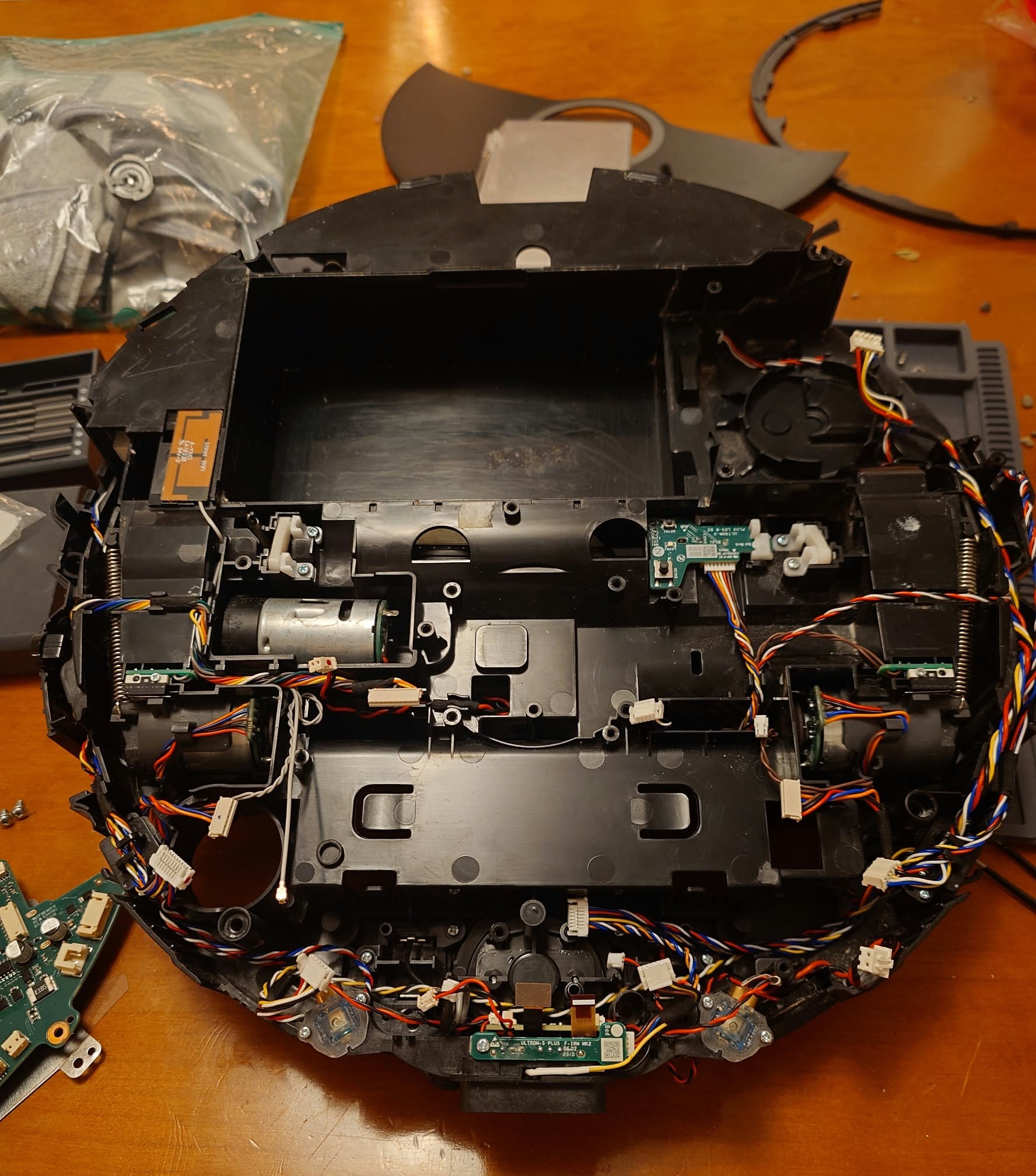
Our Roborock S8 was replaced by a Roborock Qrevo S because of a recurring cliff sensor error, but that didn’t stop me from diagnosing the old S8 and ordering the parts myself.
We had already sent the S8 in for an “official” repair for the exact same issue. When the error returned, we decided to move on and put it away in the attic.
That changed when the mop motor in our Qrevo fell into the robot itself. By the looks of it, it had simply unscrewed itself from the body.
Since the Qrevo is less than a year old, we sent it in for warranty repair. That left us without a robot vacuum, so I dug the S8 back out along with the replacement cliff sensors I had already ordered.
Diagnosing the cliff sensors
Cliff sensors are infrared sensors, and there is a very simple way to check whether the emitters are working: point a digital camera at them.
Silicon camera sensors are naturally sensitive to near-infrared light even though our eyes are not. Cameras normally use an IR-cut filter to block most of it, but the filter is not perfect. Because of that, an active IR LED will often appear white, purple or pink through a phone camera.
This is perfectly safe with the low-powered IR LEDs used in a robot vacuum, but don’t assume the same applies to every infrared source. Volvo, for example, specifically warns against pointing cameras directly at the laser-based infrared lidar used on the EX90, as it can permanently damage some camera sensors.
When the S8 first developed the problem, all of its cliff sensor emitters were still working. The actual problem appeared to be the plastic housing around the sensors, which is easy to remove and clean.
The repair shop replaced the entire cliff sensor assembly anyway.
This time, however, the problem was obvious. The outermost cliff sensor closest to the vacuum motor was completely dead. The camera test made the difference obvious immediately, so that sensor actually needed replacing.
Replacing the sensor
Getting into the Roborock S8 is surprisingly straightforward. The annoying part is the front-left cliff sensor.
Its cable harness is routed underneath the motherboard, which means you have to disconnect essentially every connector on the board before you can remove it. There are roughly 15 connectors, including a ribbon cable for the camera.
Once the motherboard was free, I could remove the failed sensor, install the replacement and put everything back together.
The S8 now works perfectly again.
Was it worth fixing?
Definitely. The fault looked more intimidating than it actually was, and the camera test made diagnosing the failed sensor trivial.
The parts cost about 50$.
I think I’ll make an iFixit guide for the S8 at some point, because the disassembly is simple enough and the sensor routing is the only part that is not immediately obvious.
Leave a Reply